






800-622-3631
Routing #: 314978543
Search
800-622-3631
Routing #: 314978543
Search

Education Center

Education Graphic

Guiding You to Big Wins

Better financial decisions start with better information. Explore helpful tips, news and videos to make the smartest choices at every stage of your journey.
Looking for Something Specific?
Shield icon with checkmark

Security & Privacy

Stay one step ahead of fraudsters with the right information.
Woman using her debit card for online shopping

Stay Safe While Shopping Online: Essential Tips for the Holiday Season

November 3, 2025
Your Guide to Safe Online Shopping As the holiday season...
Read More
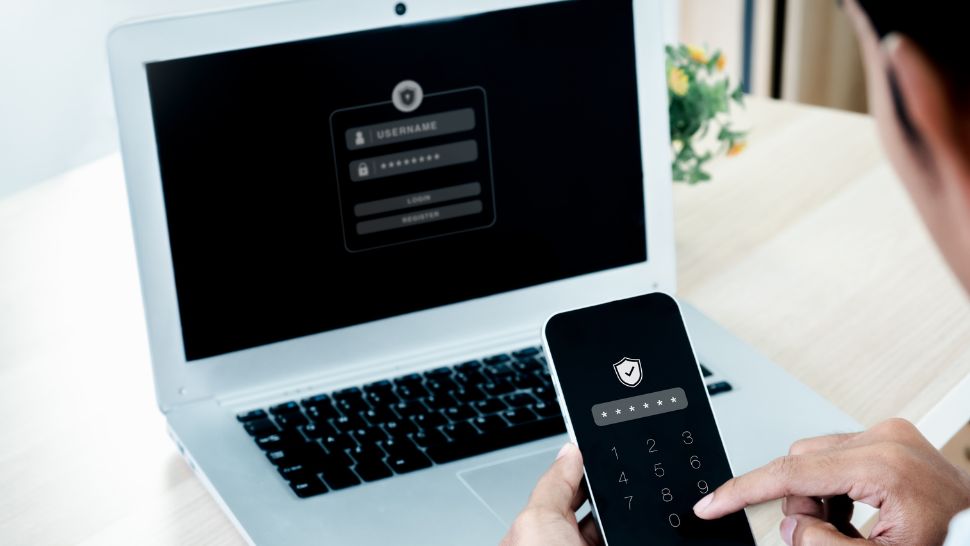
Person securing their passwords on phone and laptop

Stay Safe Online: Rally Credit Union's Guide to Cybersecurity Awareness Month

September 24, 2025
October marks Cybersecurity Awareness Month, a nationwide initiative launched in...
Read More
Lock with computer code coming from center of screen

Cyber-Smart Tips for Your Next Adventure 

September 23, 2025
Traveling means connecting to unfamiliar networks and devices — which...
Read More
Shredded paper

Identity Theft

September 11, 2025
Identity theft is a serious crime where someone unlawfully obtains...
Read More
See All Security & Privacy
Thumbs Up Icon

Financial Tips

Set yourself up for success with savvy banking tips.

Person using smartphone

Digital Banking, Made Easy and Secure

November 19, 2025
At Rally Credit Union, we’re proud to continuously adapt and...
Read More
Woman using her debit card for online shopping

Stay Safe While Shopping Online: Essential Tips for the Holiday Season

November 3, 2025
Your Guide to Safe Online Shopping As the holiday season...
Read More
Person securing their passwords on phone and laptop

Stay Safe Online: Rally Credit Union's Guide to Cybersecurity Awareness Month

September 24, 2025
October marks Cybersecurity Awareness Month, a nationwide initiative launched in...
Read More
Lock with computer code coming from center of screen

Cyber-Smart Tips for Your Next Adventure 

September 23, 2025
Traveling means connecting to unfamiliar networks and devices — which...
Read More
See All Financial Tips
Laptop w: 24 Hour

Digital Banking 101

Watch quick videos on managing your personal or business accounts online.
Person using smartphone

Digital Banking, Made Easy and Secure

November 19, 2025
At Rally Credit Union, we’re proud to continuously adapt and...
Read More
Woman using her debit card for online shopping

Stay Safe While Shopping Online: Essential Tips for the Holiday Season

November 3, 2025
Your Guide to Safe Online Shopping As the holiday season...
Read More
Person securing their passwords on phone and laptop

Stay Safe Online: Rally Credit Union's Guide to Cybersecurity Awareness Month

September 24, 2025
October marks Cybersecurity Awareness Month, a nationwide initiative launched in...
Read More
Lock with computer code coming from center of screen

Cyber-Smart Tips for Your Next Adventure 

September 23, 2025
Traveling means connecting to unfamiliar networks and devices — which...
Read More
See All Digital Banking Tips
rally megaphone

Member News

From branch openings to new features, stay informed on all things Rally.
People packing food at food bank

Share your Christmas Food Drive

December 2, 2025
Rally is proud to support the Coastal Bend Food Bank...
Read More
Person using smartphone

Digital Banking, Made Easy and Secure

November 19, 2025
At Rally Credit Union, we’re proud to continuously adapt and...
Read More
Car Payment written on calendar

Holiday Skip A Pay

October 10, 2025
Now Available! Holiday Skip-A-Pay Beginning November 1st, Rally members will...
Read More
Laptop with confetti surrounding it

The New Rally Website is Coming!

August 23, 2025
Get ready for a refreshed design, expanded content and the...
Read More
See All Member News

Real People. Real Help.

Whether you prefer chatting, screen sharing or browsing FAQs, we’re here to help.
Visit Help Center

Frequently Asked Questions

Most Frequently Asked Questions

314978543

Once signed into your online banking, select the account tile you need the account number for. Click on “Details and Settings” which will provide the full account number.

Visit rallycu.com, click on LOG IN (top right corner) then enter your Login ID. You will then click on forgot your password? and follow the prompts to reset.

You have several options to make a loan payment.

  • In Person at any Rally Credit Union branch;
  • By Mail to:

Rally Credit Union
PO Box 81349
Corpus Christi, TX 78468;

  • By setting up a recurring payment pulled from your other financial institution. Call 1-800-622-3631 to set up;
  • Through Online Banking or the Mobile Banking app. Transfer monies from your Rally checking/savings account to your Rally Loan;
  • Through the Loan Payments service to make monthly payments by ACH (electronic debit) or using a debit card for a fee;
  • Or you may be able to set up Rally as a biller through your other financial institution's bill payer. Simply provide your institution with your Rally loan account information.

Renewal debit cards will be mailed a month prior to expiration.

Click any dropdown menu on our website and find it in the right-side toolbox, or in the footer of any page. Loan Payments is also available on the Mobile Banking app and Online Banking under Transactions.

Login to your online banking account, click on the menu bar, select "Services" then select, "Statement" you will be asked to validate your email a new window will appear, and you will select the profile shaped icon and manager your choice under the section "Delivery" you will have the option of "Online Only" or "Paper Mail Only." Please feel free to contact us if you need further assistance 1-800-622-3631.

Your Available Balance is what is actually available for you to spend, your Current Balance is the available balance plus any pending transactions on the account.

Search for shared branches

Enter your Zip Code or specific address to locate a participating Shared Branch closest to your location.

  1. Log into Online Banking
  2. Click the Menu (top left corner)
  3. Select Services
  4. Choose "Add External Account"
  5. Add Your Account: Enter the account information for your other financial institution
  6. Verify Your Account: After you receive your micro-deposit amounts, log back into Online Banking, return to Add External Account, and enter the deposit amounts to activate your external account
cross